
Projects & Spec Tasks
Projects and spec tasks are the core of HelixML. This is how work is planned and executed.
Projects
Projects are spec-driven project management boards that organize how work gets planned and executed by AI agents. Each project acts as a workspace where you define what needs to be built, track progress across tasks, and review the results — all through a structured, approval-based workflow.
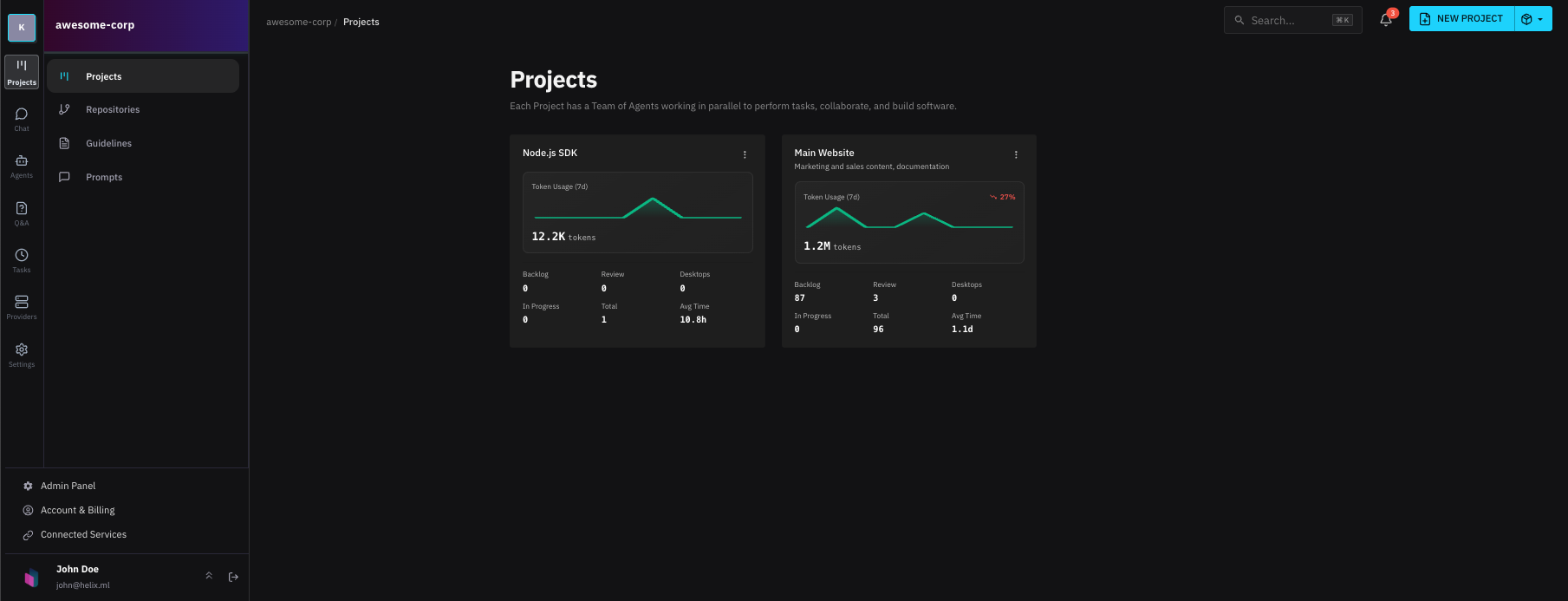
Project provide:
- Ability to collaborate with your team
- Manage spec tasks
- Setup Optimus, a Helix agent to help you plan and manage your project
- Setup recurring tasks such as reviewing your GitHub issues and preparing new spec tasks to work on
Spec Tasks
A spec task is a discrete unit of work within a project. You describe what needs to happen — a feature to build, a bug to fix, a change to make — and an agent prepares an execution plan. Once you approve the plan, the agent carries out the work inside an isolated sandbox environment, producing a pull request for human review.
Spec tasks move through a clear lifecycle:
- Define: Write a spec describing the desired outcome
- Plan: An agent analyzes the codebase and proposes an execution plan
- Approve Review the plan and approve it before any work begins
- Implementation: The agent works inside a sandbox desktop with full access to browser, terminal, and file system
- Review: A pull request is created for human review and merge
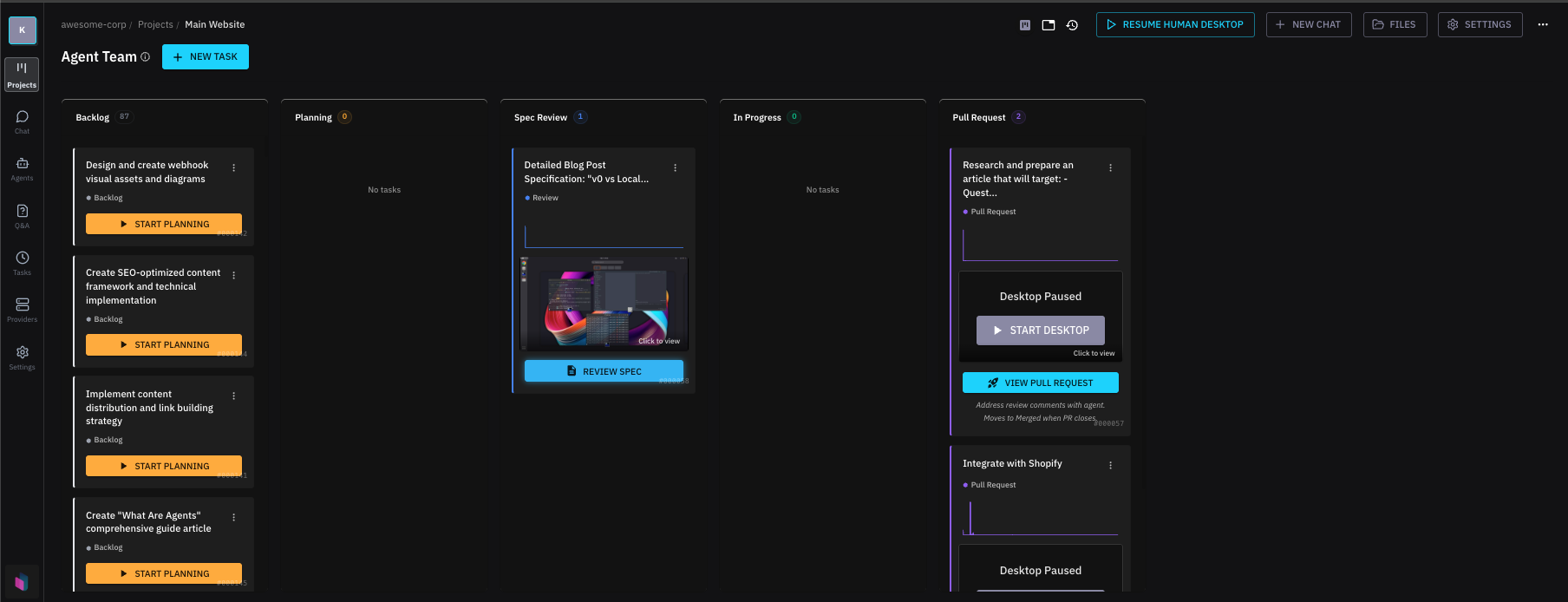
This human-in-the-loop approach keeps you in control. Agents never push code or merge changes without your explicit approval. You set the direction, agents handle the execution, and you review the output.
Jump in at any step
You can always participate in the process at any step. You can review the plan, approve it, or even edit the spec to make changes. You can also review the implementation and make changes to the spec based on the implementation.
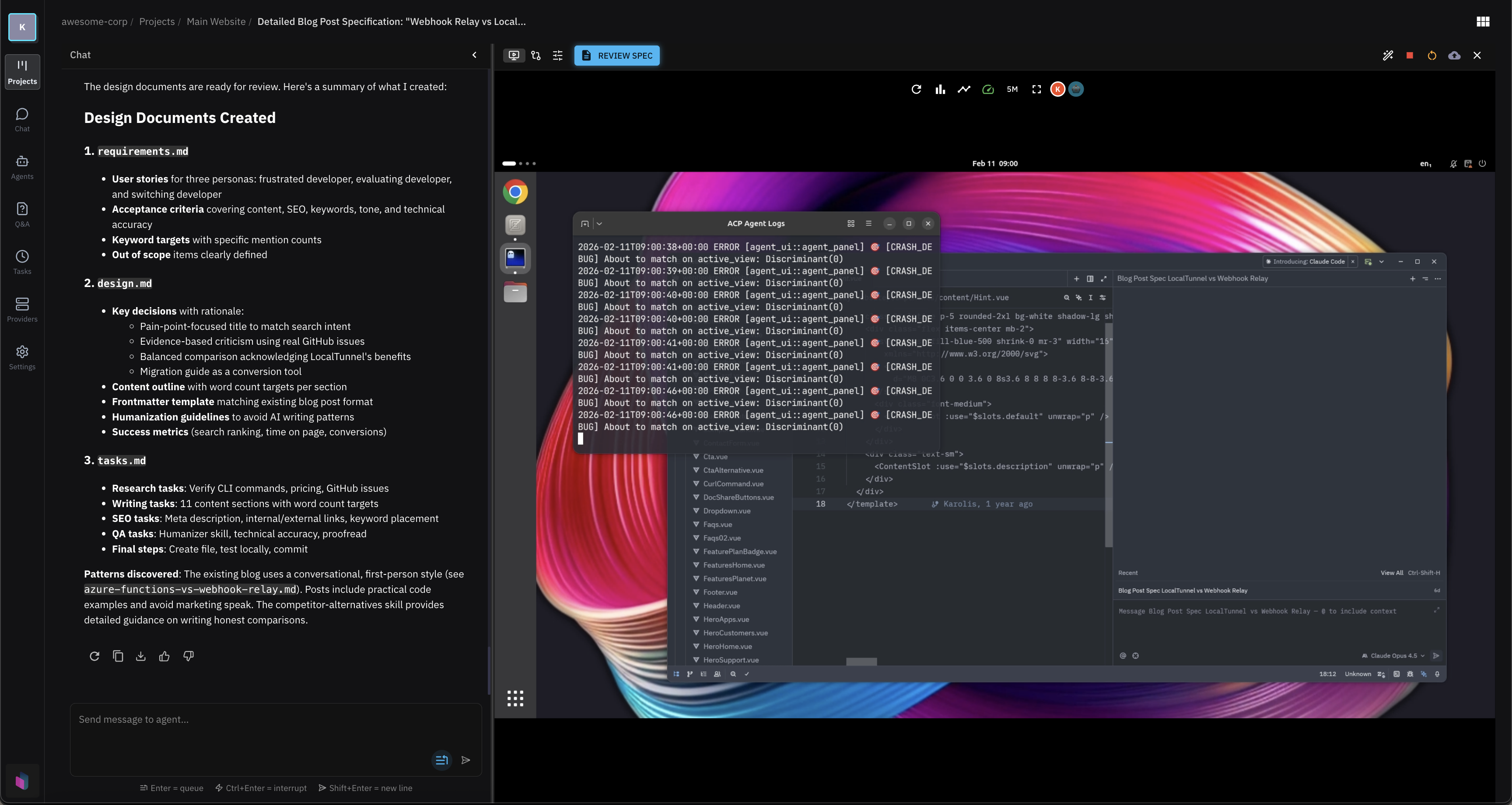
Interact with this desktop view directly, use the browser, IDE and terminals inside the sandbox.